Track all your subscriptions. Never miss a renewal.
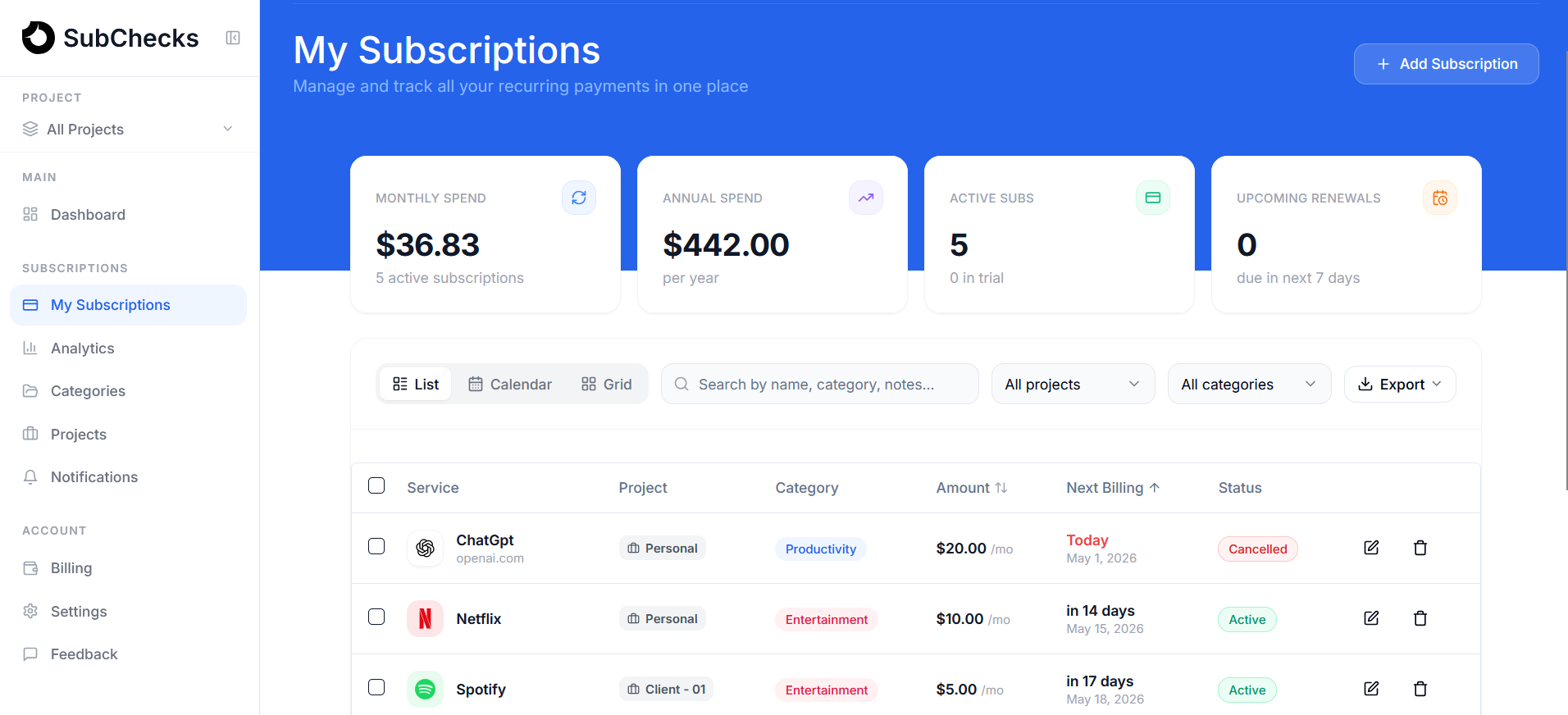
Keep every subscription in one place. Get reminded before renewals sneak up. Know exactly where your money goes.

Your subscriptions are
quietly draining your money.
Most people don't realize how much they're spending until it adds up.
Lost track of what you're paying for
You signed up, forgot about it, and it kept charging. Most people are paying for 2 or 3 subscriptions they haven’t used in months.
Surprise charges
That free trial you forgot about quietly renews and you don’t notice until it hits your bank.
It all adds up faster than you think
Netflix, Spotify, cloud storage, apps. Individually they feel small. Together they’re quietly draining hundreds a year.
Statement of Account
Monthly Subscriptions
Netflix
Jan 8
−$15.49
Spotify
Jan 14
−$11.99
YouTube Premium
Jan 19
−$13.99
ChatGPT Pro
Jan 23
−$20.00
2 more subscriptions
−$25.00
Take control in3 simple steps
Set up in minutes and always know what you are paying for.
Add your subscriptions, stay organized
No bank login, no imports. Add your subscriptions manually in seconds and group them however makes sense to you.
Netflix
Monthly
Spotify
Monthly
iCloud
Monthly
Renewing tomorrow
Netflix · $17.99
Renewing in 7 days
Adobe CC · $54.99
Get reminded before renewals
Receive simple alerts before you're charged - so nothing catches you off guard.
See exactly where your money goes
Get a clear picture of your total spend broken down by category so you can cut what you don't need.
What our users are saying
People who finally got their subscriptions under control.
“Honestly I was embarrassed when I saw my total. Had a gym app I hadn't opened in like 8 months still charging me. Cancelled 3 things the same week I signed up.”

Harsha S.
Founder
“I kept telling myself it wasn't that bad. Set this up on a Sunday and turns out I was spending just over $180 a month on subscriptions. Cancelled a few things I completely forgot existed.”

Roman C.
Student
“The reminders are the best part honestly. Caught my Adobe trial literally the day before it renewed. Would have completely missed it.”

Dan K.
Designer
Everything you need, at a glance
All your subscriptions organized. Know what you pay, when it renews, and where it goes.
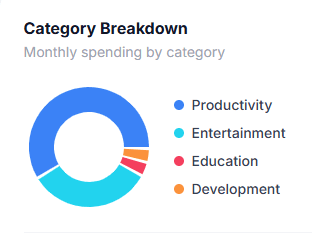
See your full spending breakdown
Know exactly what you spend each month broken down by category. Spot what is worth keeping.
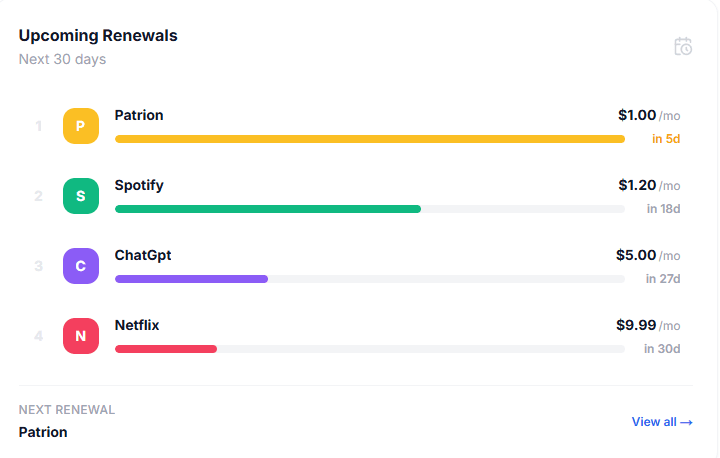
Get alerted before every renewal
Email reminders 7, 3, and 1 day before each charge. No surprises, no forgotten trials.
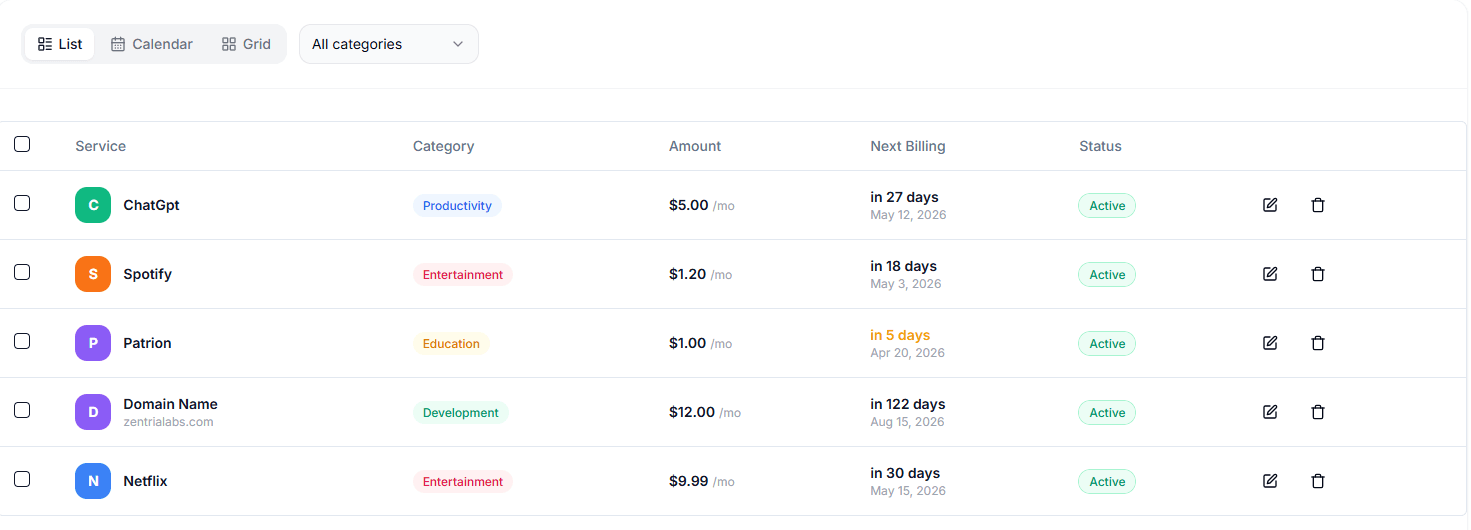
All your subscriptions in one clean view
Every subscription, billing date, and cost in one place. Nothing slips through.
Export your subscription list
Download a clean report of everything you pay for. Useful for budgeting or sharing.
No monthly bills. Just results.
One payment covers everything: unlimited subscriptions, reminders, and full spending analytics.
Free Plan
Free to start. No credit card needed.
Lifetime Pro
Pay once, use forever. No expiry.
Questions before you start
Common questions before you sign up.
Built for anyone who's lost track
I built SubChecks because I kept losing track of what I was actually paying for. I'd check my bank statement and see charges I didn't recognize, trials I forgot to cancel, and apps I hadn't opened in months. It all quietly added up to way more than I expected. SubChecks started as a way to finally see it all clearly in one place.
I actively improve the product every week. If you try it and it's not right for you, there's a 30-day refund, no questions asked. Your data is always yours to export.

Finally know what you're paying for
Add your subscriptions, get reminded before renewals hit, and see exactly where your money goes. Free to start.